Search Plans
The search feature enables you to quickly find specific plans by entering relevant keywords or identifiers. The search function is available for both Sell and Buy plans.
A screen capture of the Search function is shown here.
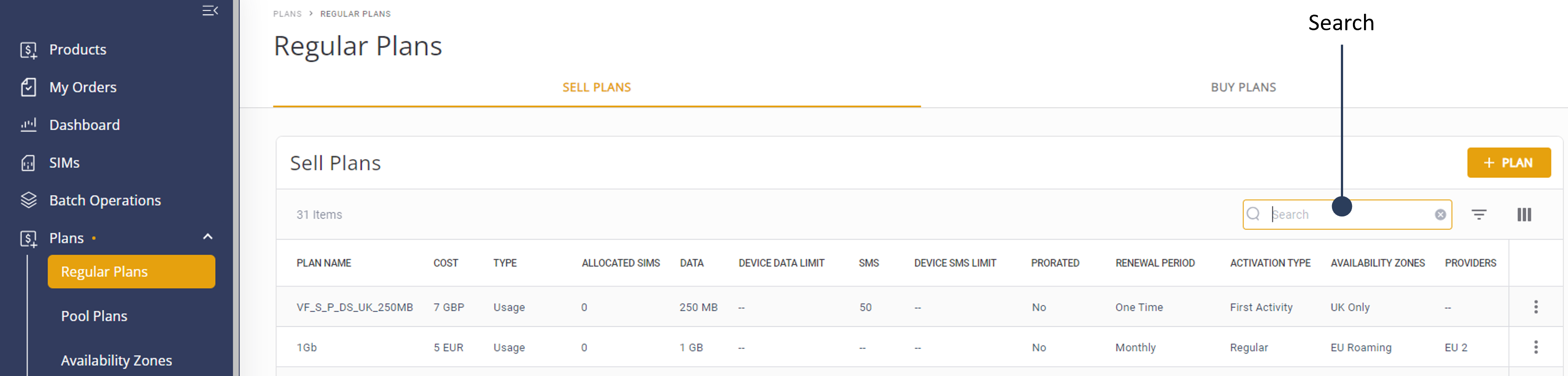
To search for a plan, do these steps:
- Select Catalog | Plan from the sidebar.
- Select the Regular or Pool Plans tab. The Sell Plans table is displayed (default).
- Click the Search icon to display the Search box.
- Type the full or partial name of existing plan and click Enter. The results are displayed in the Plans table.
NOTE: When using the Search feature, you must use either a full or partial plan name. The search is not case-sensitive, meaning that you do not need to match exact spelling or case to locate the desired plans.